A family app for iPhone
Your whole family, together in one place.
Your family chat, map and daily plan, side by side. From “On my way” in the morning to “I’m home” at night, everyone stays in the loop.

No ads, and we never sell your data. Chat, the map and quick notes are free. For iPhone with iOS 17 or later.

Apart all day, still in the loop
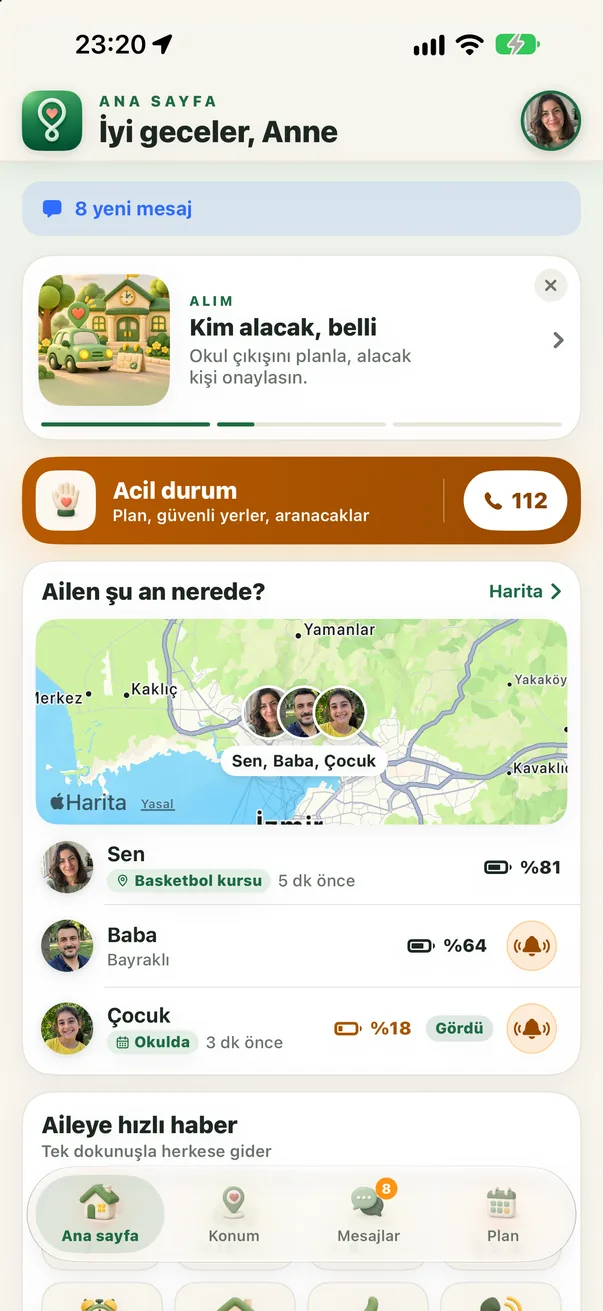
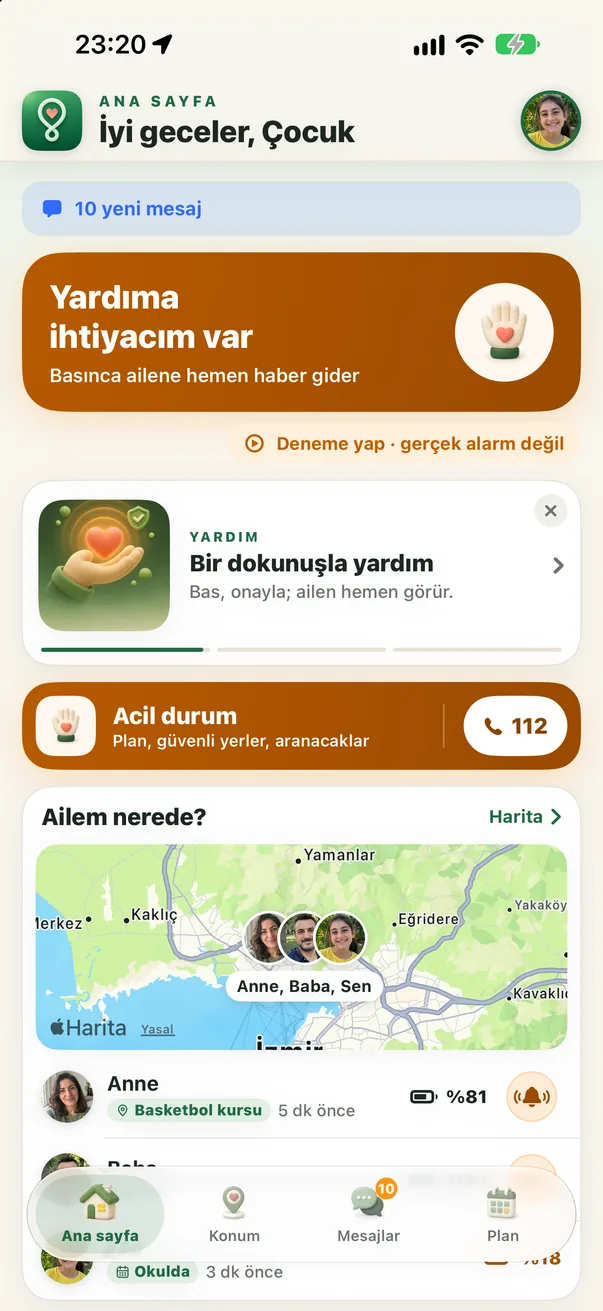
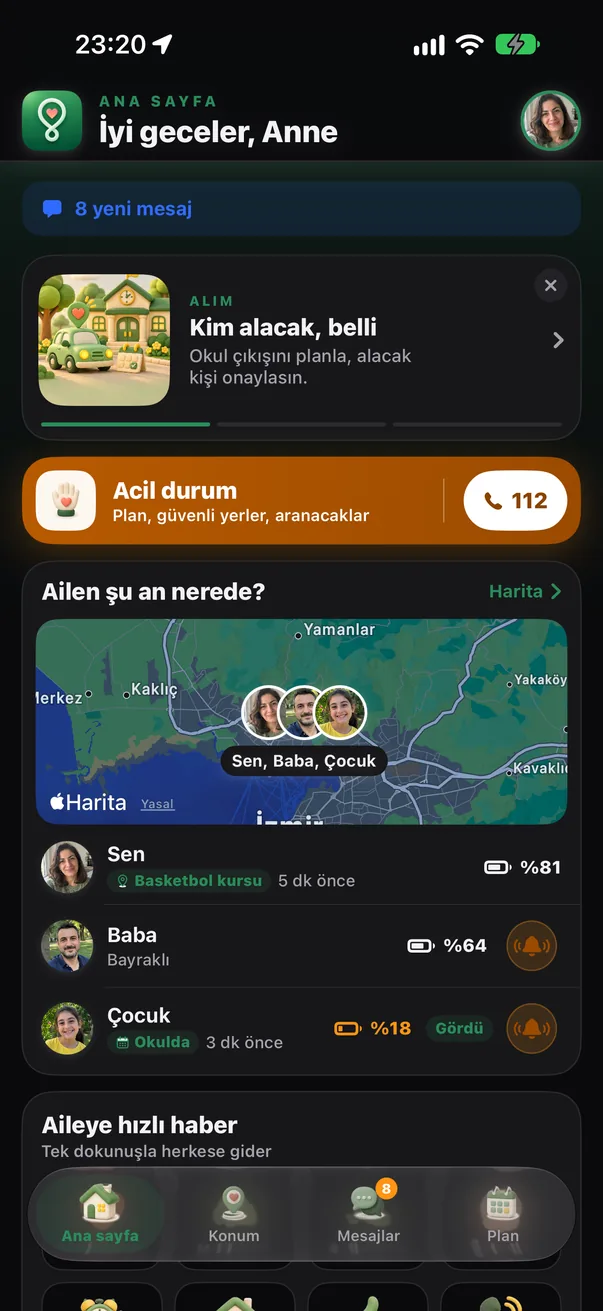
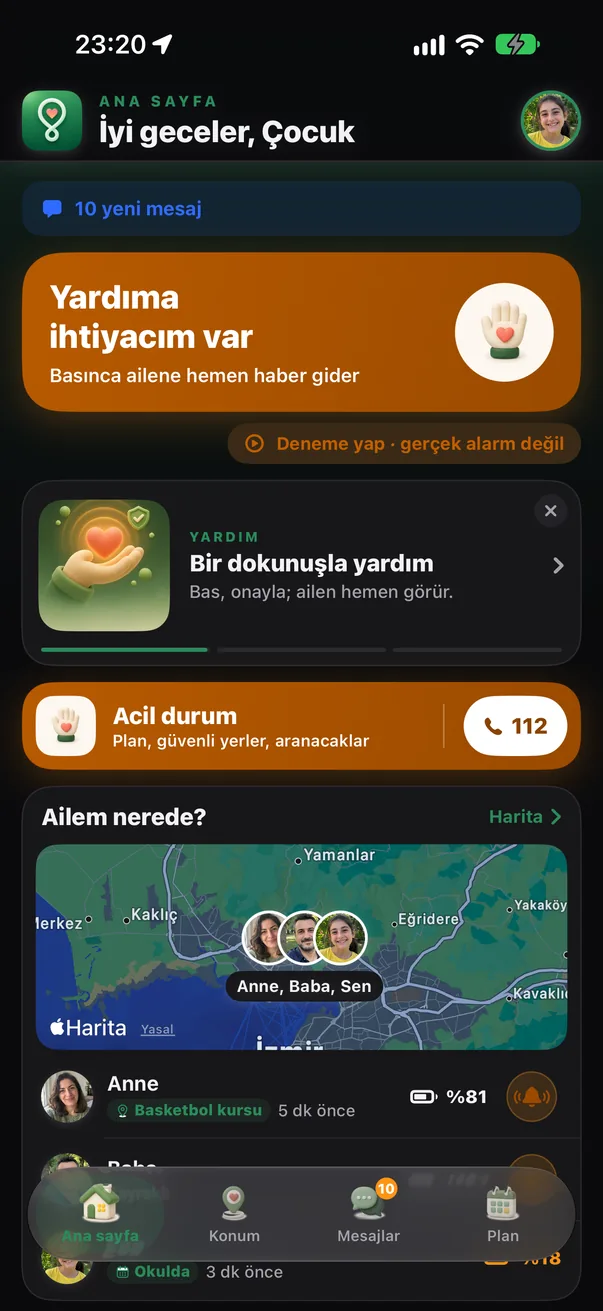
On your child’s phone, the family is right there on the home screen.
Home
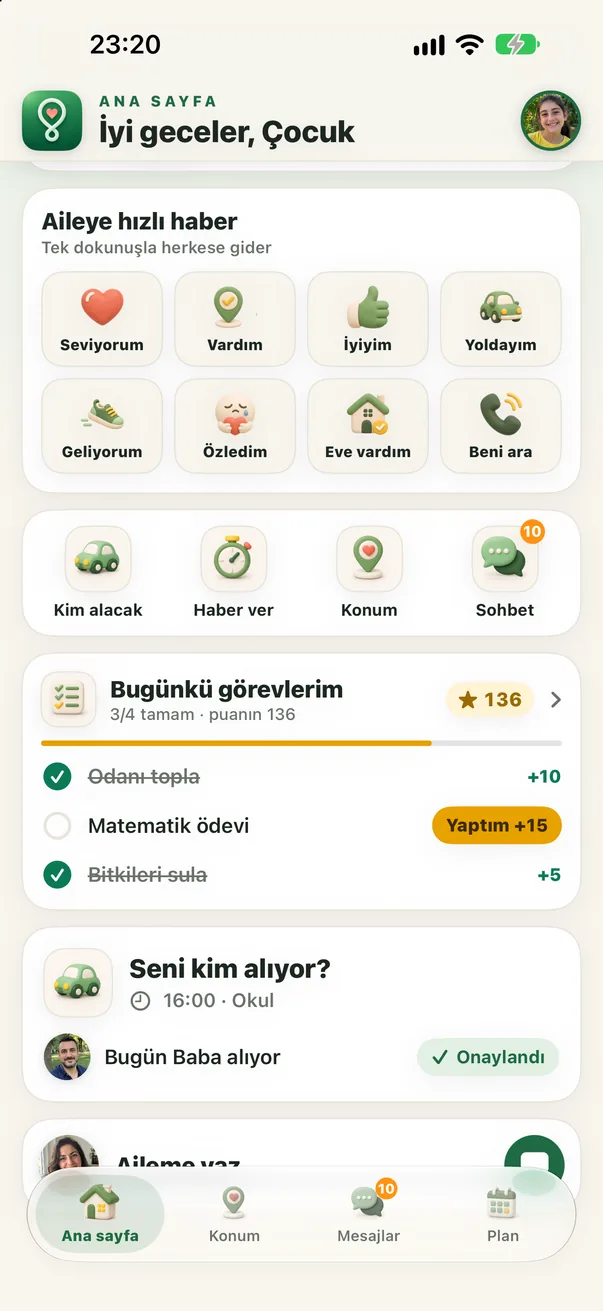
Quick notes
“On my way,” “I’m home,” “Love you all.” One tap sends it to the family chat, and everyone sees it.
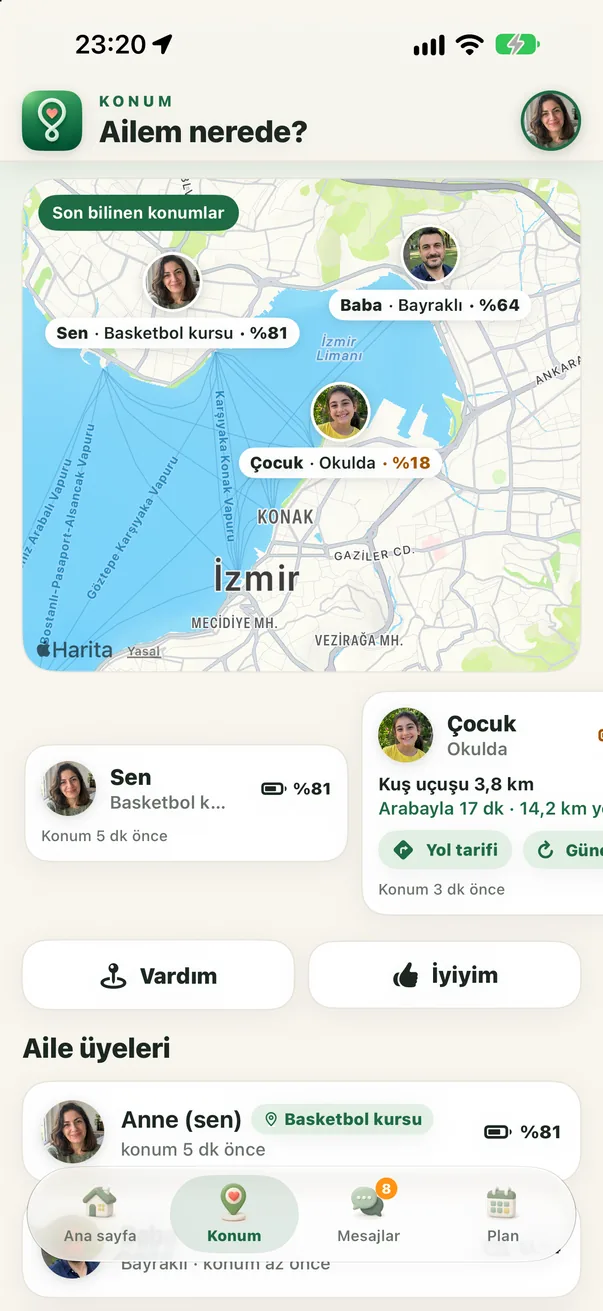
Location
Where’s everyone right now?
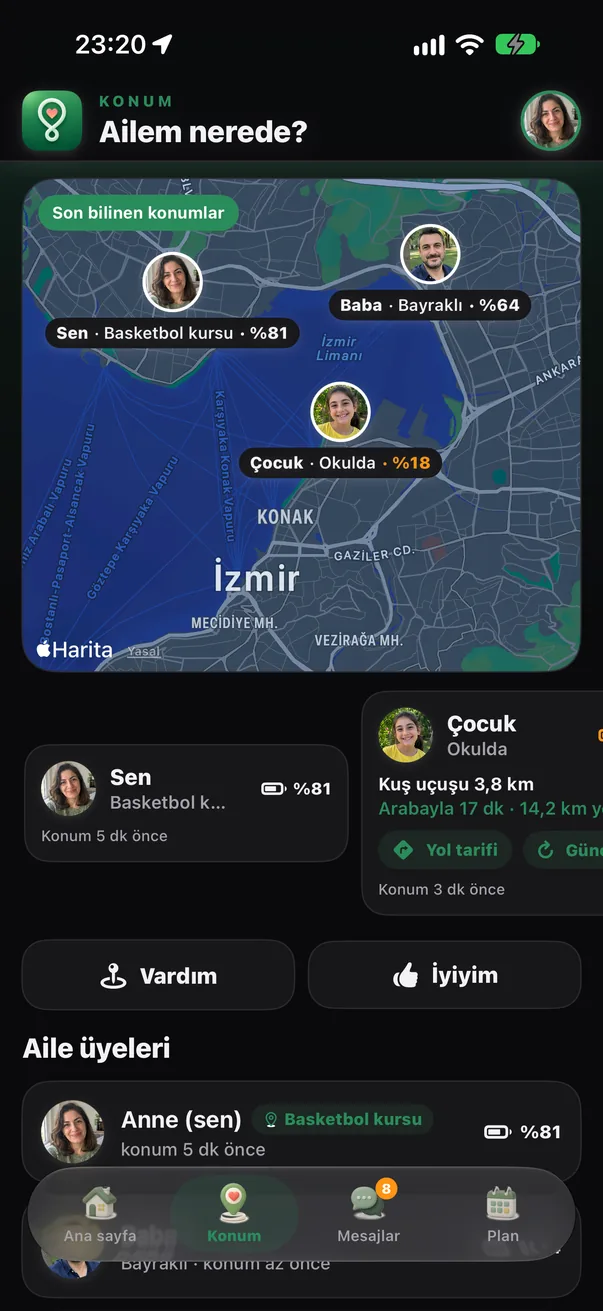
Everyone’s last location and battery on one map. When your child gets to a saved place like school or home, you’ll know without them having to text.
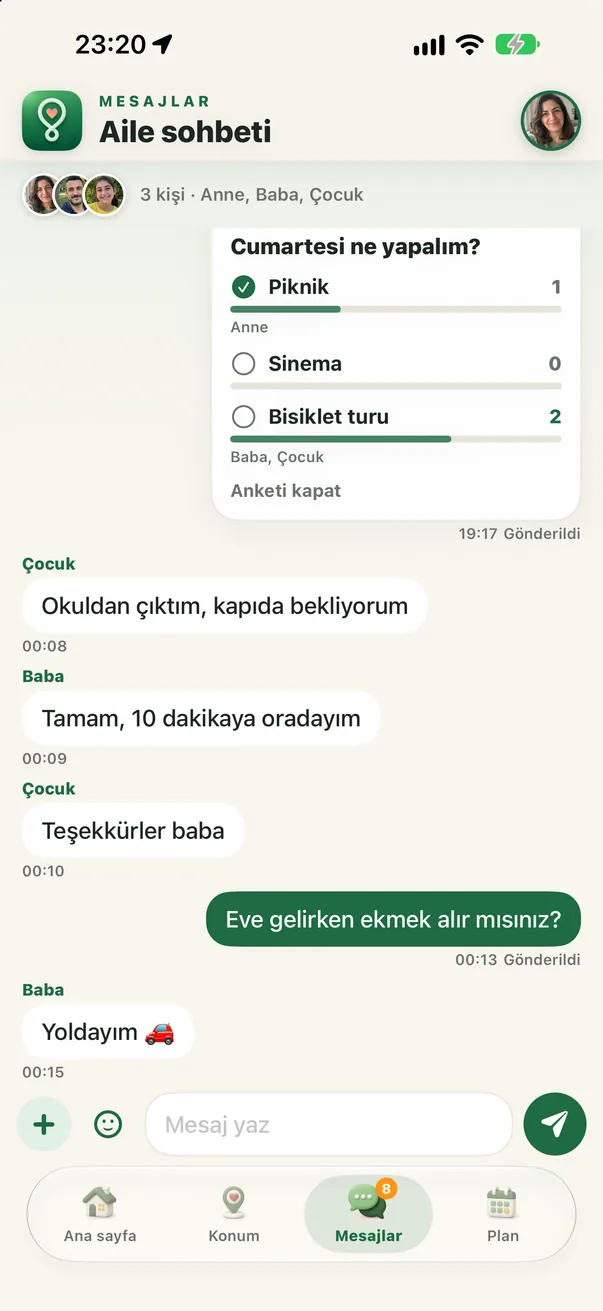
Messages
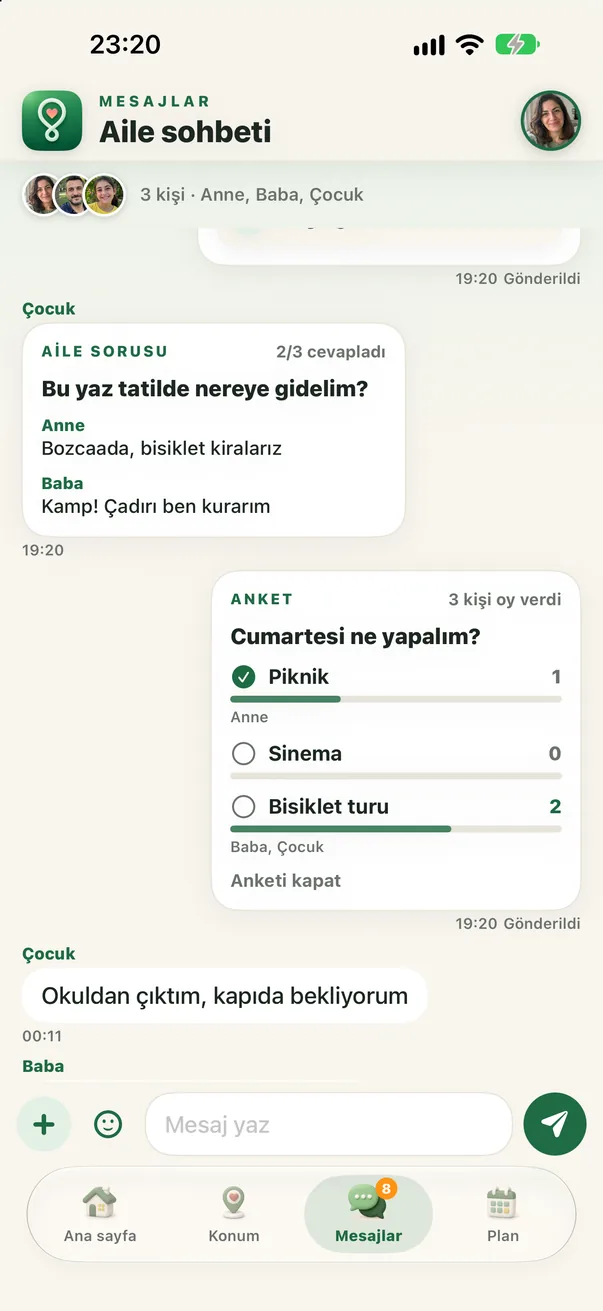
A chat just for your family
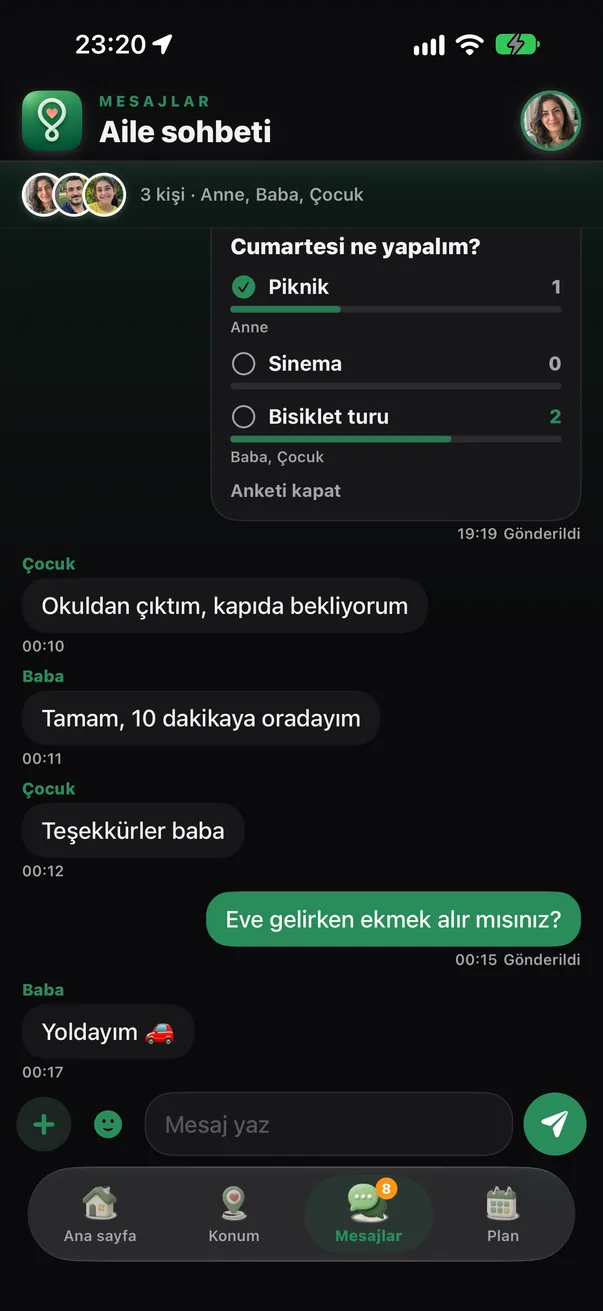
Messages, photos, stickers. In the evening a question of the day drops in: “What made you laugh the most today?”
Plan
Who’s picking you up?
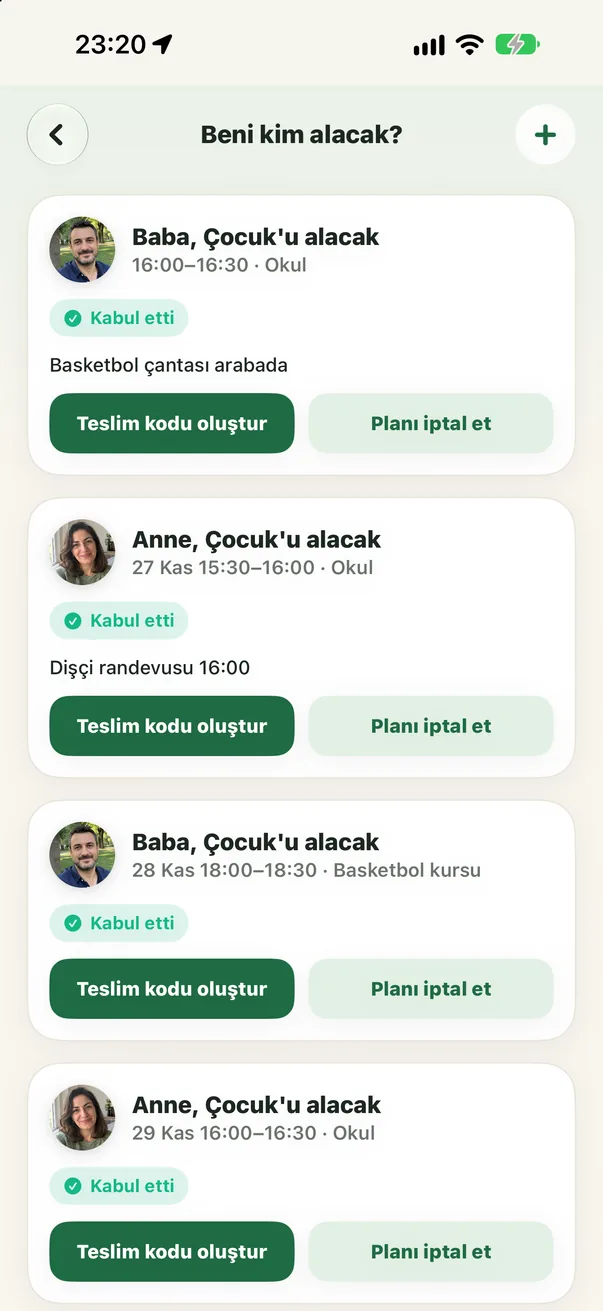
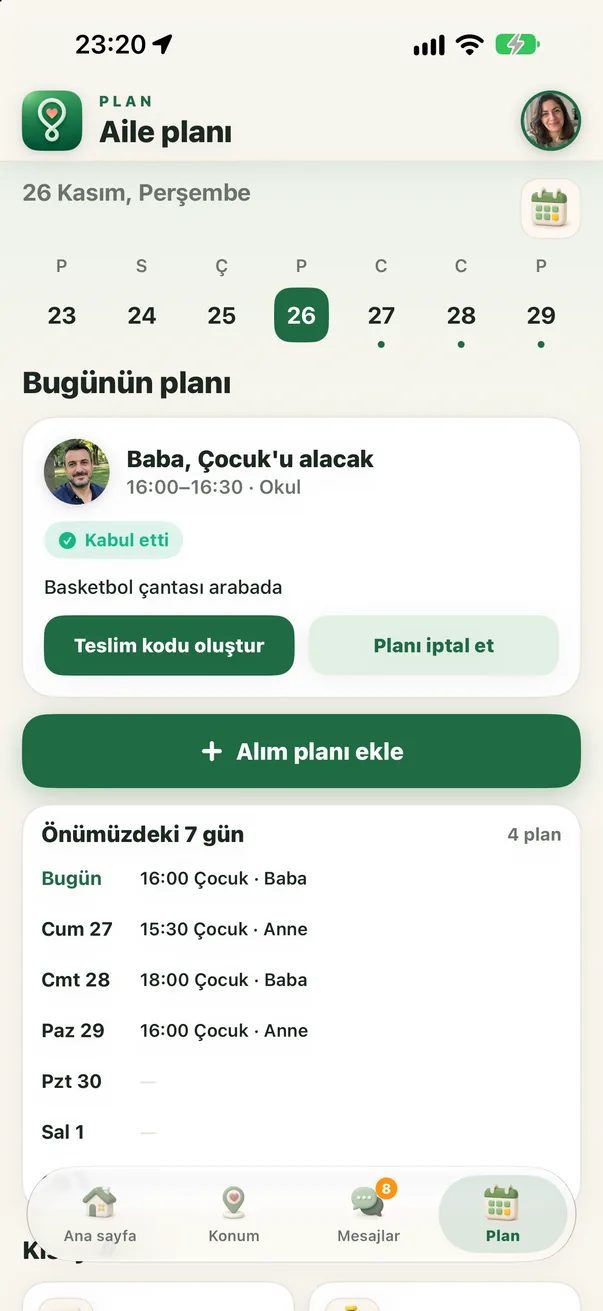
The plan shows who’s coming at pickup, and that person confirms. The next 7 days are on the same screen.
An ordinary Tuesday
From the school gate to practice, nobody had to ask “where are you?”

· Leaving school
One look at the phone: Grandma’s doing pickup today.

· At the gate
Grandma says the 4-digit handover code, and the kid types it in to check.

· At practice
Mom’s phone lights up: “Your child arrived: Practice.” No “are you there yet?” call needed.
Screens from the app
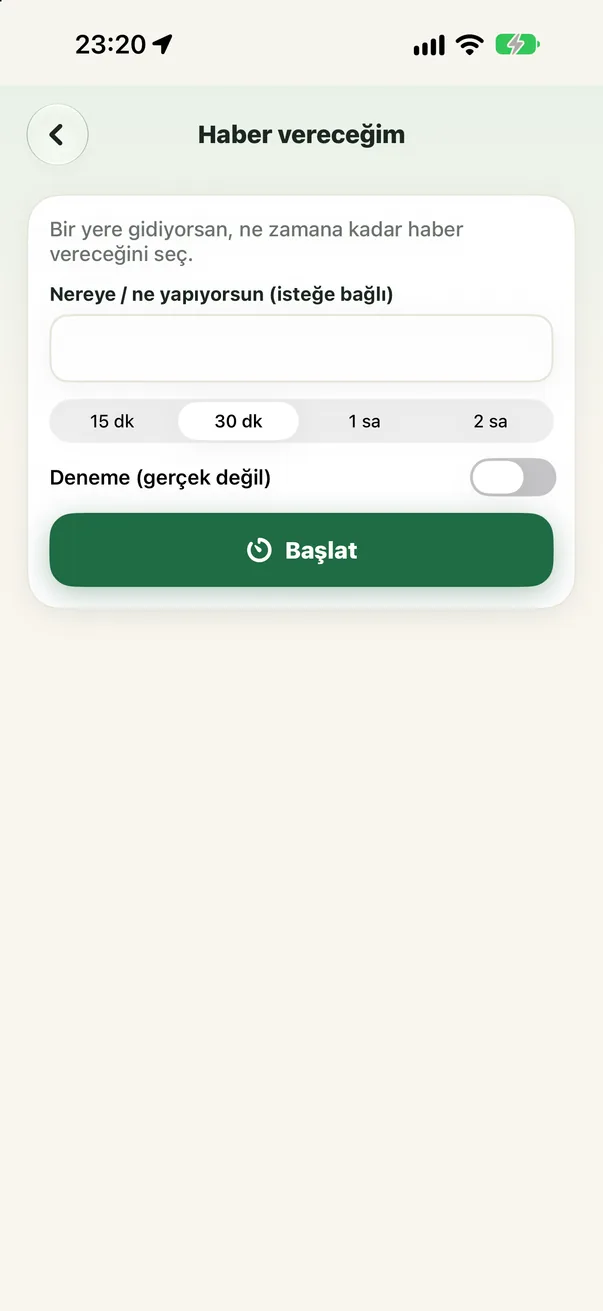
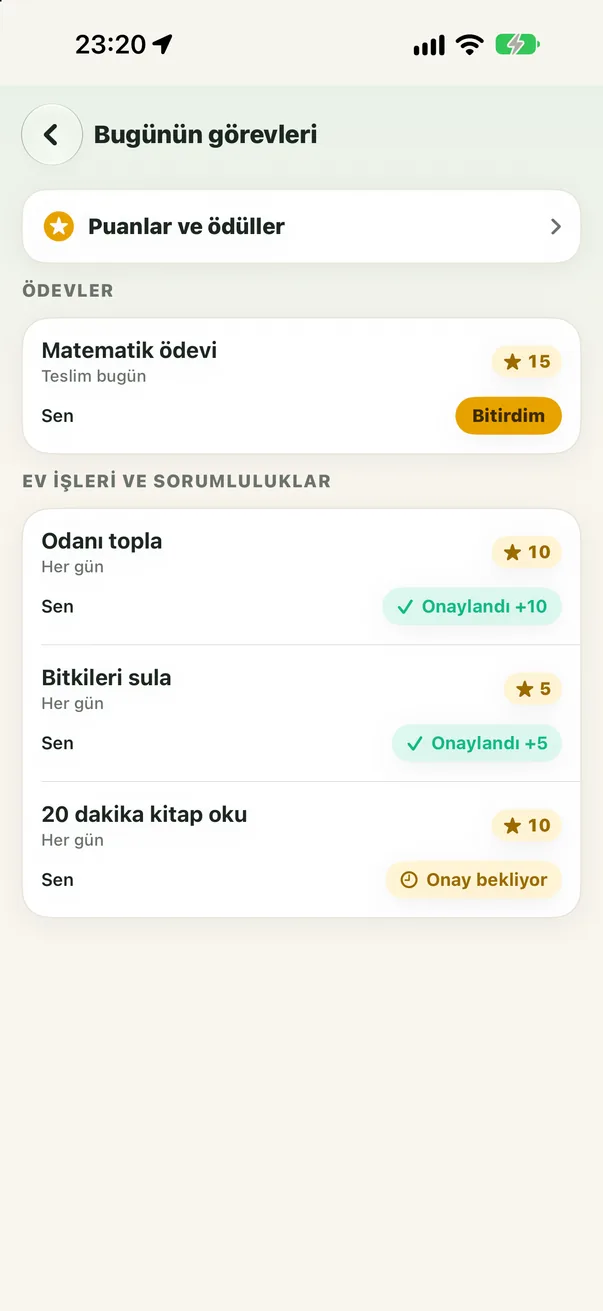
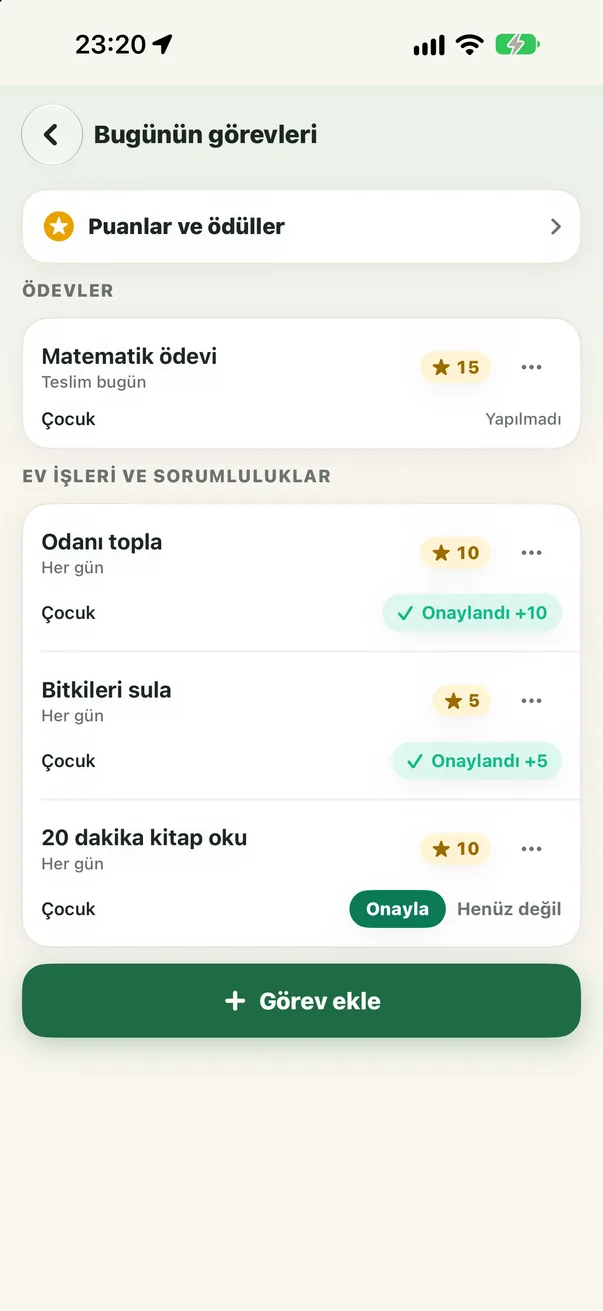
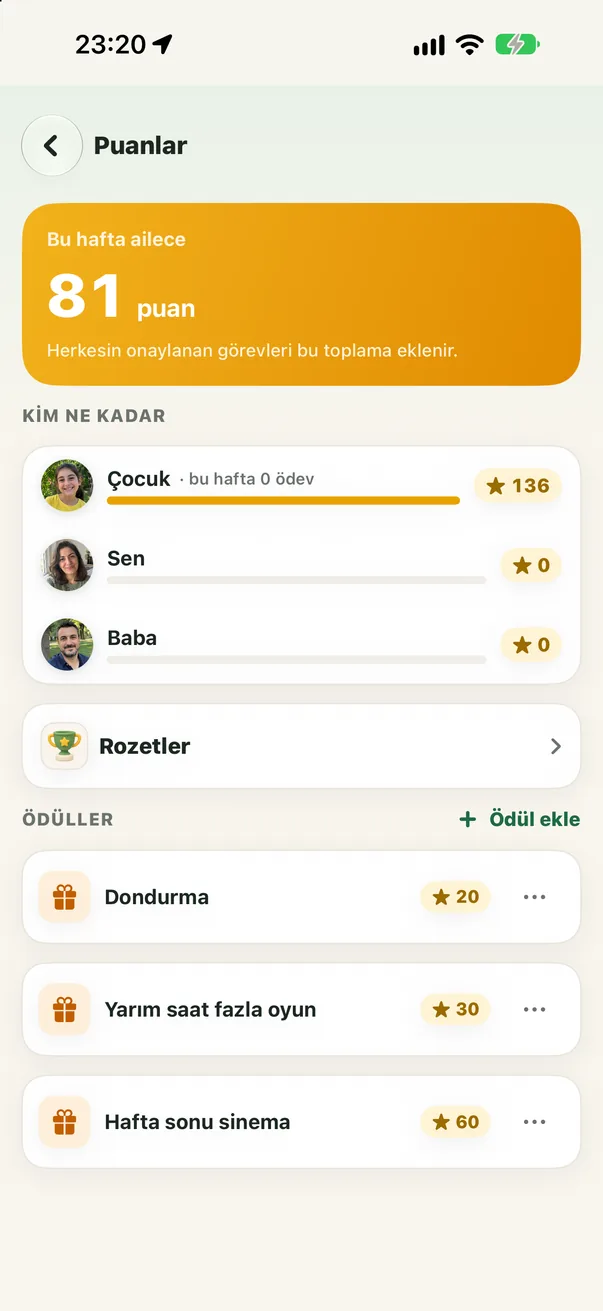
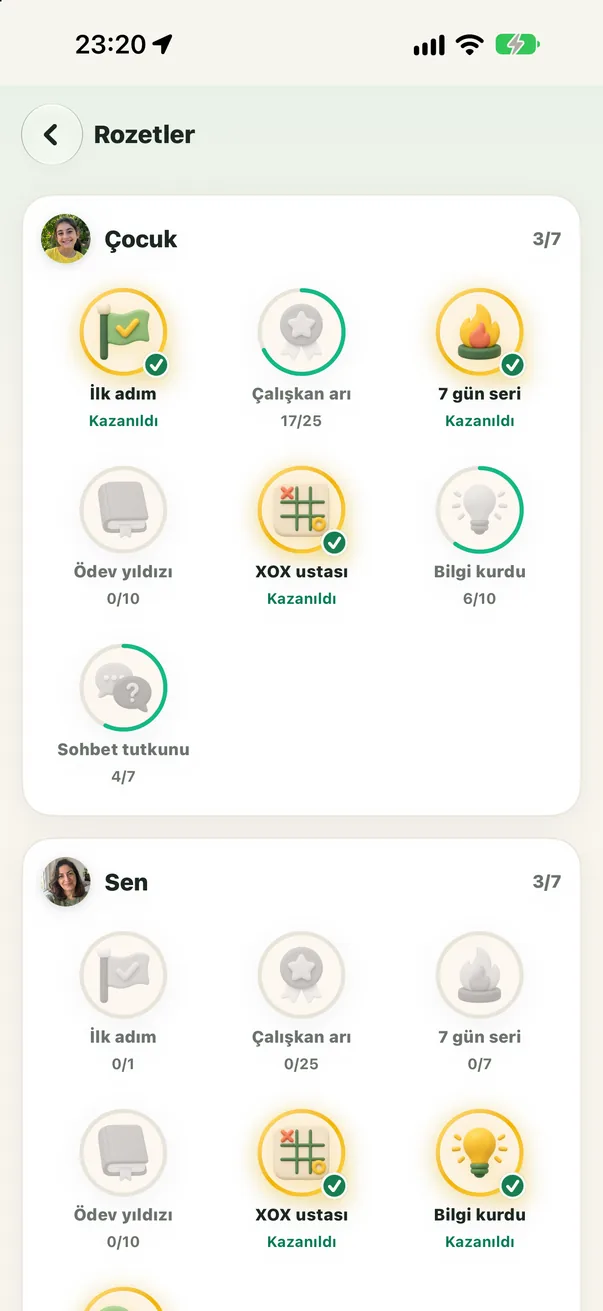
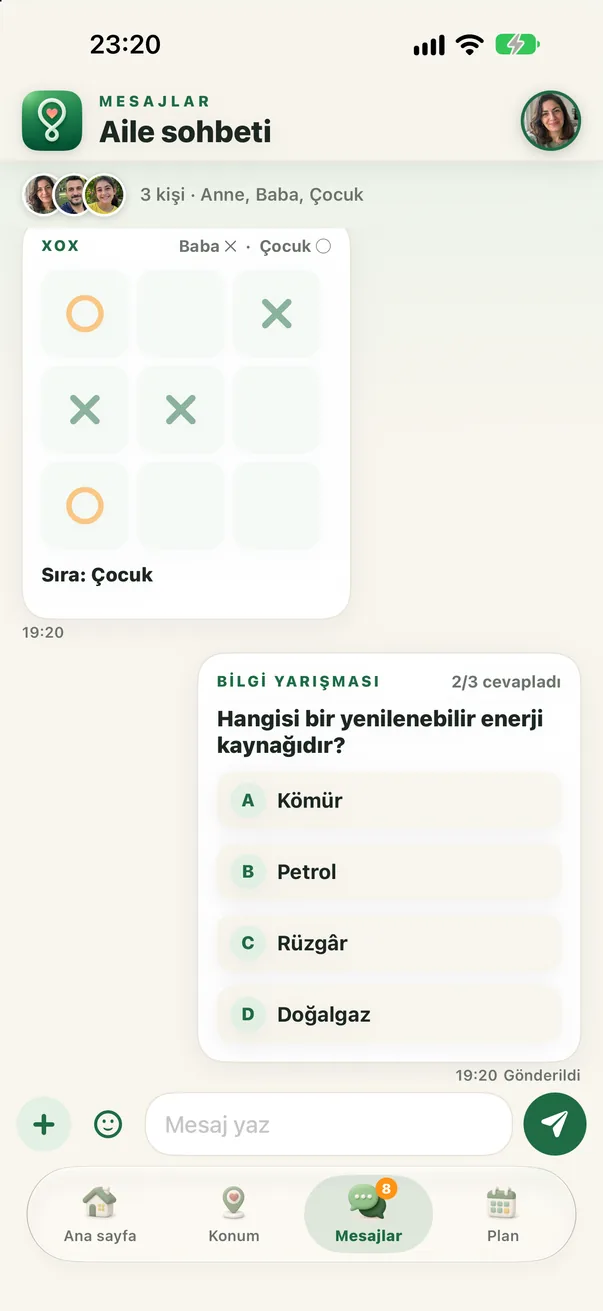
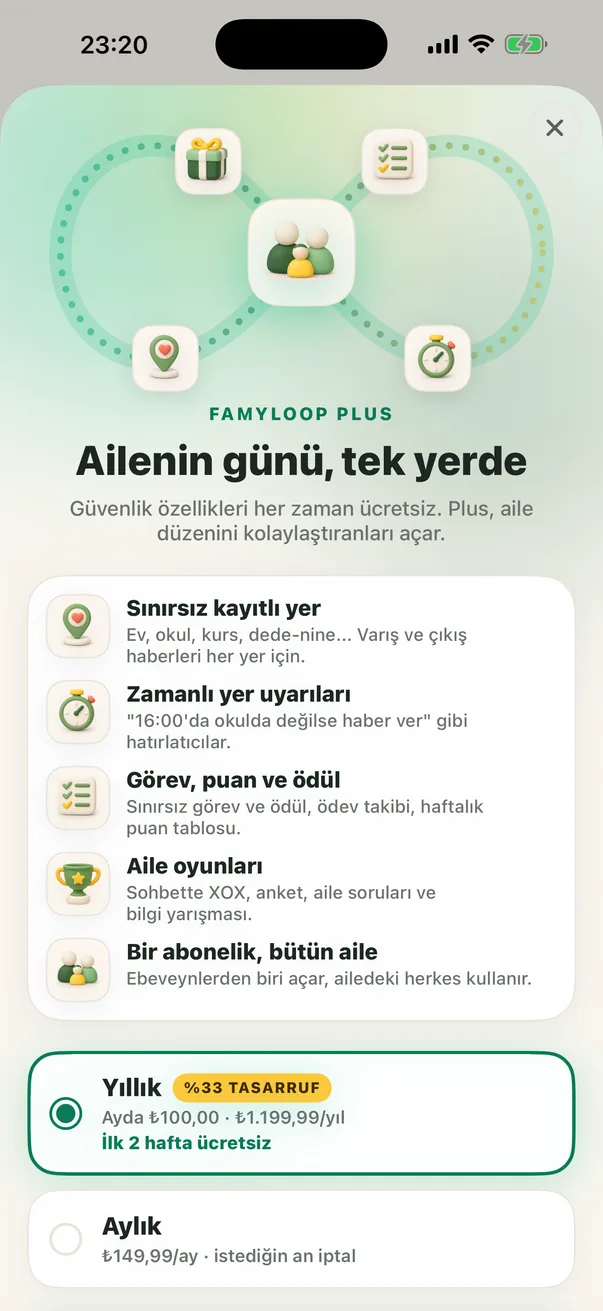
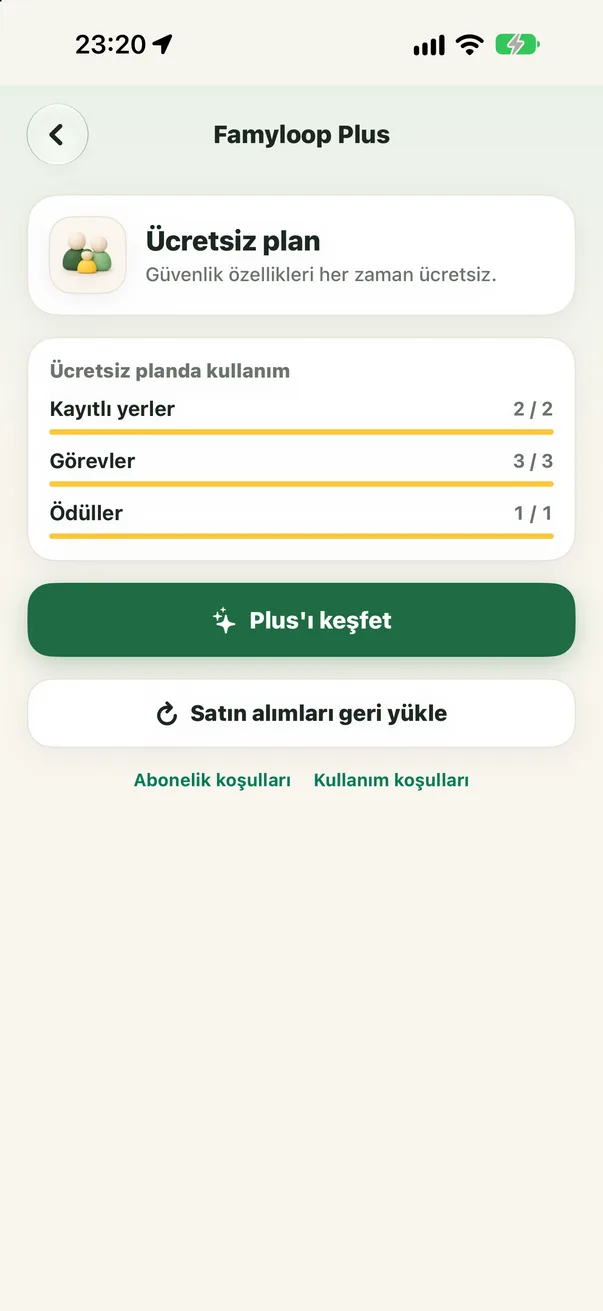
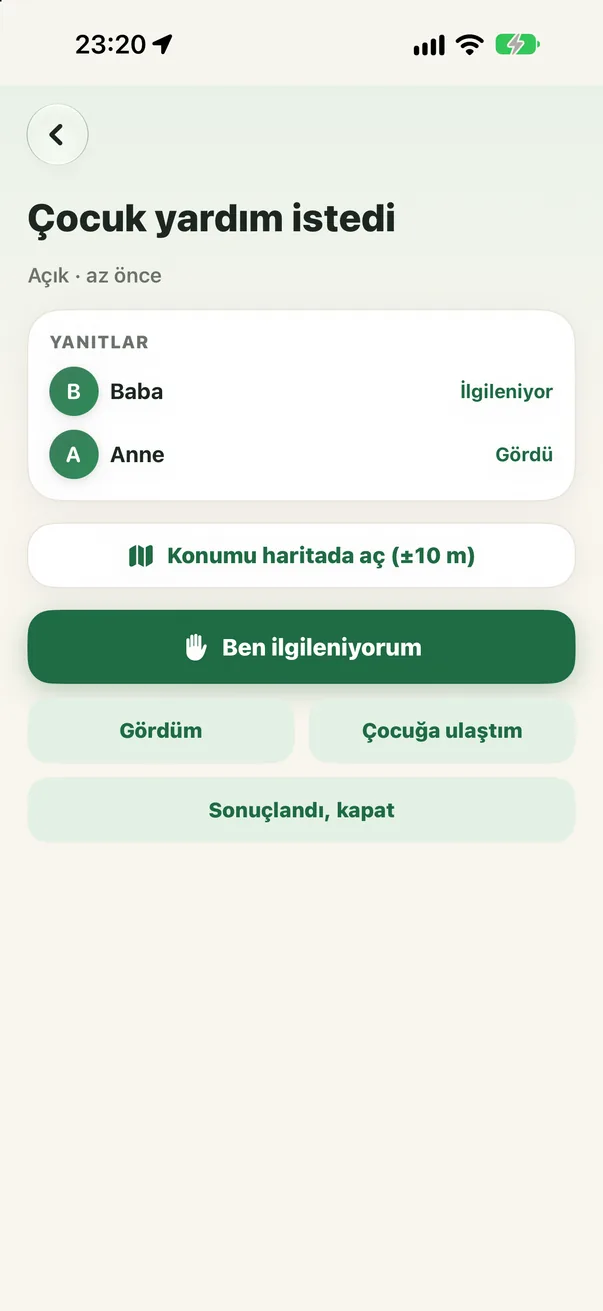
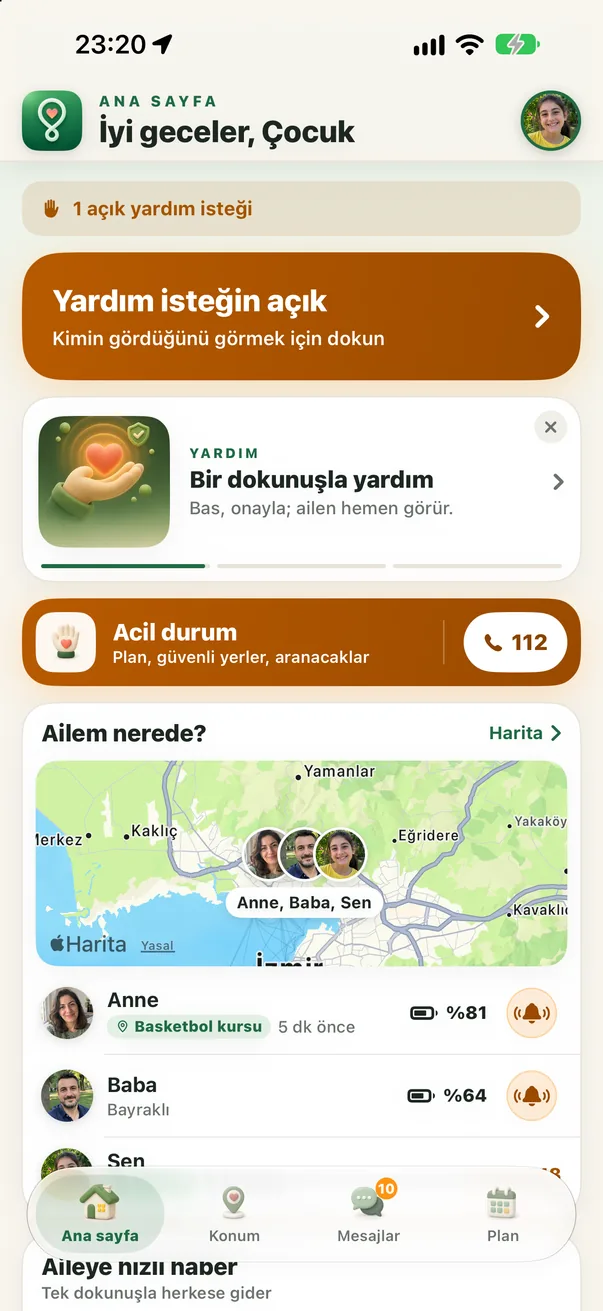
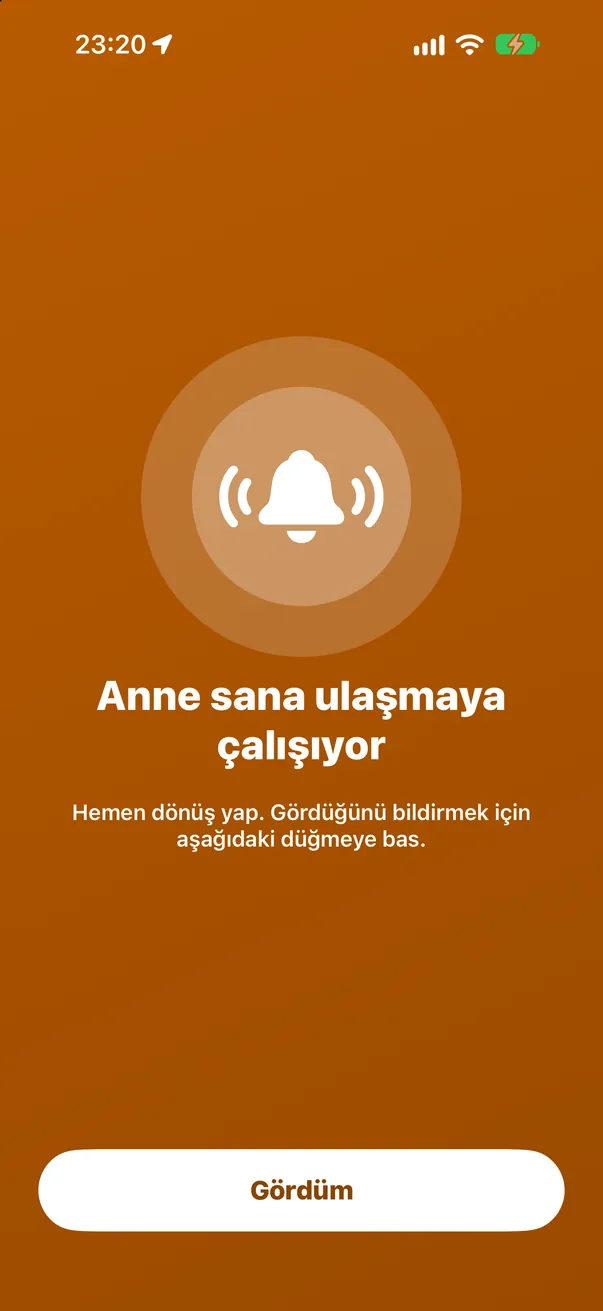
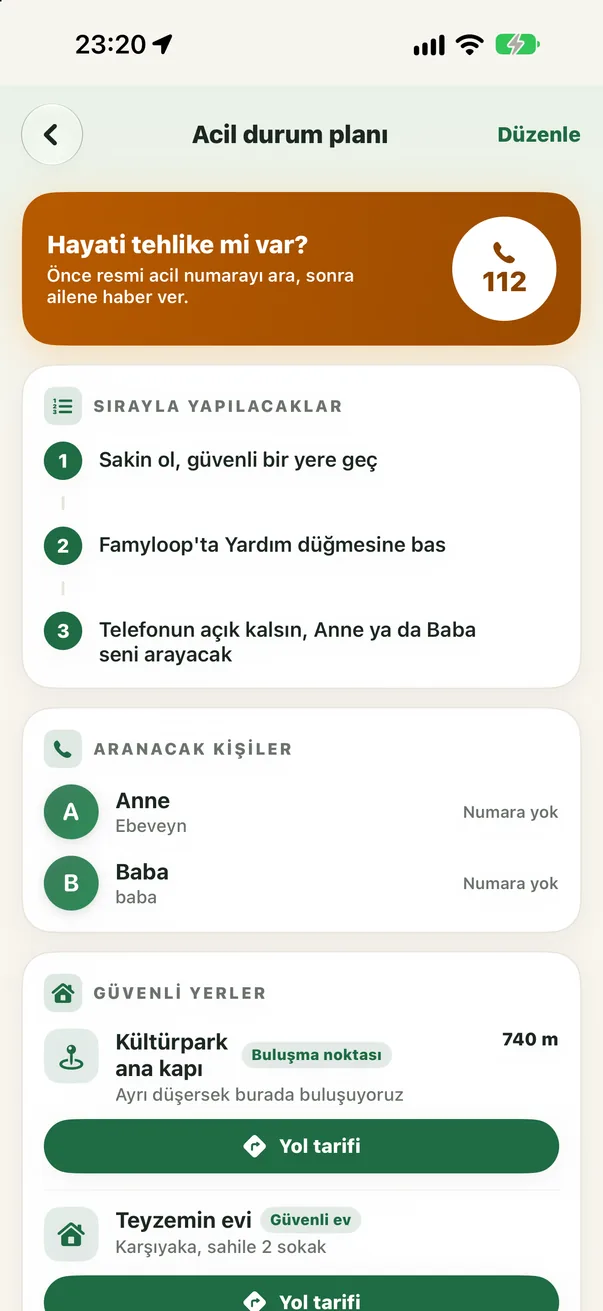
Real screenshots from a demo family in İzmir: Mom, Dad and their child. The app is in Turkish, so the screens are too.
What’s in the app
Everything here except family games works on the free plan. Saved places, chores and rewards have limits; see pricing.

A chat just for your family
A private, ad-free chat, and every photo you share lands in the family album.

Quick notes
Eight ready-made notes like “On my way,” “Running a bit late” and “I’m home,” each sent to the family with one tap.

Grandma’s in, too
Grandparents, a sitter or a neighbor join by invite and see only what you allow.

Family map
Everyone’s last location and battery on one map. Parents get a heads-up when a child’s battery runs low.

Saved places
Save home, school and practice, and you’ll know when your child gets there without them having to text.

School pickup
The plan says who’s picking up and they confirm. At the gate your child asks for the 4-digit handover code and checks it.

Check-in timer
Heading out? Pick a time, like 30 minutes. If it runs out before you check in, you get a reminder first, then the parents get a heads-up.

Chores and rewards
Tidying up and finishing homework earn points, and you set the rewards, like Friday movie night.

Badges
“7-day streak,” “Homework star,” “Tic-tac-toe master.” Parents can earn them too.

Family games Plus
Tic-tac-toe, trivia, family questions and polls right in the chat, with a nudge when it’s your move.
Question of the day
In the evening a family question drops into the chat, and everyone adds an answer.

Help and emergencies
Help requests, an urgent alarm and an emergency plan, all free. See how it works.
Together when it matters, too
Help requests land where your family already is. Most days nobody needs the button, but it’s always there on your child’s home screen.
On your child’s phone
Your child taps, then confirms
The app asks first whether to send the family a help request. Once they confirm, it goes out right away and their location is added to it.
On the family’s phones
The family sees it together
Parents get a notification with its own sound and can open your child’s location on the map. Your child sees who has seen it and who’s on it.
If time runs out
Nobody on it? It goes further
If nobody is on it within a few minutes, it also goes to the trusted adults you’ve allowed to get alerts, like a grandparent, sitter or neighbor.
Practice run
Try it together first. A practice request reaches the family clearly marked as a drill.
Urgent alarm
Can’t reach someone in the family? Send an alarm, and you’ll hear back as soon as they mark it seen.
Emergency plan
Your local emergency number, who to call, a meeting point, safe places and a family password, all on one page.
Privacy, in short
Your data is stored on our server in France. The privacy policy covers everything we collect and why.
- No ads, no data sales
- We don’t show ads in the app, and we never sell your location, your messages or any other data.
- No hidden tracking
- When someone refreshes your child’s location, your child’s phone shows who checked. No location history is kept.
- You choose who sees what
- Let Grandma see messages but not location. Each trusted adult gets their own permissions.
- No email for kids
- You create your child’s profile and pair their phone with a one-time code. Ad measurement and analytics never run on children’s accounts.
Chat and the map are free. They always will be.
So are quick notes, pickup plans, check-ins, help requests and the emergency plan. Famyloop Plus lifts the limits on saved places and chores and unlocks family games.
For everyone
Free
$0
No ads
- Family chat, quick notes and photo album
- Family map and arrival alerts
- Low battery alerts
- Pickup plans with a handover code
- Check-in timer
- Help requests, urgent alarm and emergency plan
- 2 saved places, 3 chores, 1 reward
One subscription, the whole family
Famyloop Plus
$59.99 / year
About $5 a month, 37% less than paying monthly.
Or $7.99/month.
- Everything in Free, plus:
- Unlimited saved places
- Timed place alerts: “Tell me if they’re not at school by 5 PM”
- Unlimited chores and rewards
- Family games: tic-tac-toe, polls, family questions, trivia
14-day free trial on the yearly plan. One parent pays, and everyone in the family gets it. Renews automatically through the App Store; cancel anytime. Prices vary by country. Subscription terms
Common questions
All questions and supportWhat is Famyloop?
An iPhone app that brings your whole family together in one place. The family chat, the map, quick notes, pickup plans and chores live side by side, so everyone stays in the loop. If your child ever needs help, they can ask the family from the same app.
What language is the app in?
Turkish. That’s why the screens on this page are in Turkish too.
Can I use it if my child doesn’t have a phone yet?
Yes. Share the chat, pickup plans and the emergency plan with your partner, grandparents or a sitter. When your child gets a phone, add it with a pairing code.
Is location tracked all the time?
Not all the time. While sharing is on, location updates roughly every 250 meters or every 15 minutes. With sharing off, it’s only sent with a help request. No location history is kept.
Are messages end-to-end encrypted?
No. Messages are encrypted in transit (HTTPS) and protected on the server, but they aren’t end-to-end encrypted. We don’t read them or use them for ads or AI training; they’re only accessed when the law requires it or you ask for support, and only as far as needed.
Does Famyloop call emergency services?
No. It alerts your family; it doesn’t contact the police or an ambulance. In an emergency, call your local emergency number first.

Set it up tonight. Send your first “On my way” in the morning.
Create the family, send your partner and trusted adults a one-time invite link, and connect your child’s phone with a code.
Download on the App Store